
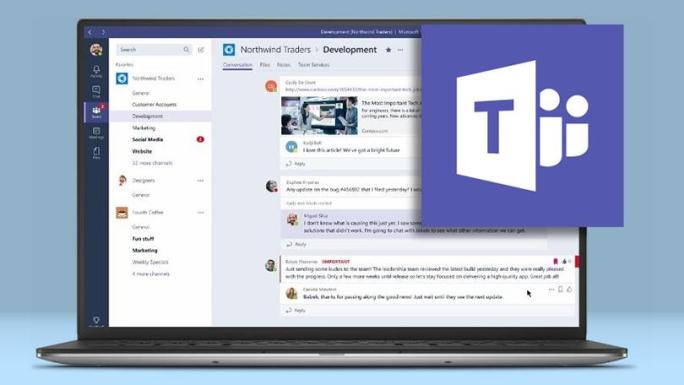
So…Here we are. Lockdown and schools being shut for the foreseeable future. If you have watched my latest vlog on the current situation, Coronavirus and the Impact of School Closures, I go to explain the social and emotional impact that enforced school closures will have on schools. Seeing as I have had one week on remote learning, it is fair to say my initial anxiety and fearfulness has somewhat abated! How it is going so far then?
What I forgot in this chaos is that I had used remote learning before, spending a duration looking at flipped classroom settings during my PGCE and NQT placement. Of course, with remote learning, one does need to place an awful amount of trust in students and parents to make it work. Only a naive person would presume that ALL students will be online ALL of the time (a couple of my tutees already dropped one in by calling them out for playing Fortnite tsk tsk). My fear of not being able to control/influence the learning environment has been tested, some parents cannot feasibly be there for six-seven hours of a day to make sure students work, and I cannot expect students to sit and concentrate. But let us focus on the students who do engage.
Students to no great surprise have coped very well with the changes and funnily, engage and take part in the lesson far better than if they were in the classroom. More surprising is some students lack experience using a desktop/laptop, or perhaps more aptly the choice of using their phone/tablet to complete work, which for practical music-making is a total nightmare, more on that later. I have found the best remote lessons so far have been where students have collaborated using group chat a task or submitted work, and I create feedback almost in real-time, it has been a mad creative rush!
The apparent platform for students to show you progress has been to record themselves practising. I offer this to students if they have an instrument and have found I really got to know some of their playing better, free from the humdrum of timetable.
Conference calling is fun, and with up to four people, it is realistic to have groups to carry out practical work, provided they don’t kick others off the chat. Zoom is a popular choice for stable sound quality but for ease and safeguarding concerns, I would stick with whatever your school has set up (we use Microsoft Teams). The best program, hands down, for creating, editing work and sending instantaneously is Chrome Music Lab. The website contains loads of fun and engaging apps designed for students to access music-making, including its highly accessible Song Maker app. Despite its primitive design, it is customisable. It can cater for more experienced programmers, but the best thing about this is the ability for students to share work via a link and have you amend in real-time. I hope the developers add a function where you can use more sounds and add panning, track automation etc. Soundation is a cloud DAW app that gives users more choice in regards using a sample library and selection of synths/drum machines (much more if you subscribe). It works much in the same way as Logic/Cubase does and is a smart choice if you want students to submit compositions without having to use school workstations.
I do have the thorny issue of getting students into and completing practical work in real-time though. JamKazam and Jammr only works if students have an interface or USB mic to use, both PC platforms are also quite clunky to use. A neat solution for producing class or group work came from both Phil Meadows, a lecturer at National Youth Jazz Orchestra my good friend, drummer Terry Knight. They intend to use a system of getting students to record parts to a backing track, (backing in headphones of course) and then edit parts together, like a patchwork quilt! This I see having an impact for the students to hear all their instrument parts together.
As for real-time rehearsals, I feel I am at the mercy of using groups in Teams and WiFi connections, oh that and NOT using a phone to complete work! Which I have to mention, if students are using phones out of comfort, I would strongly recommend you to get them on laptops/desktops if you intend on them working with Teams or any other programs. Not only will they struggle to see videos/screenshots correctly, but they will also be at the mercy of social media notifications won’t fully concentrate on your lesson…and you can forget about them using any sort of online DAW/music software program too!
Remote learning so far has not been a beacon of modern-day teaching. Still, it certainly has been a revelation in real-time marking, collaborative music-making and engagement with my students. I certainly will continue to use Teams when I go back to flipped classrooms, moderating cover work and even for communication with my fellow teachers. Has the use of remote teaching rendered the teacher useless? NO!!! In fact, this situation has only highlighted the importance of the teacher in guided and supported long term learning for a young mind, so you can relax, robots or algorithms won’t be taking our jobs anytime soon 🙂



 You can record loops into it and layer as normal, in fact, that can lead on nicely to sound production with your students!


 Mike Wright Music Education